
Chargement…
 Free desktop app
DocFlex reads, annotates, edits, fills in, converts and compresses your PDFs and documents right on your computer. Nothing is sent online: your files never leave it.
Free, no account
100% offline
Open source
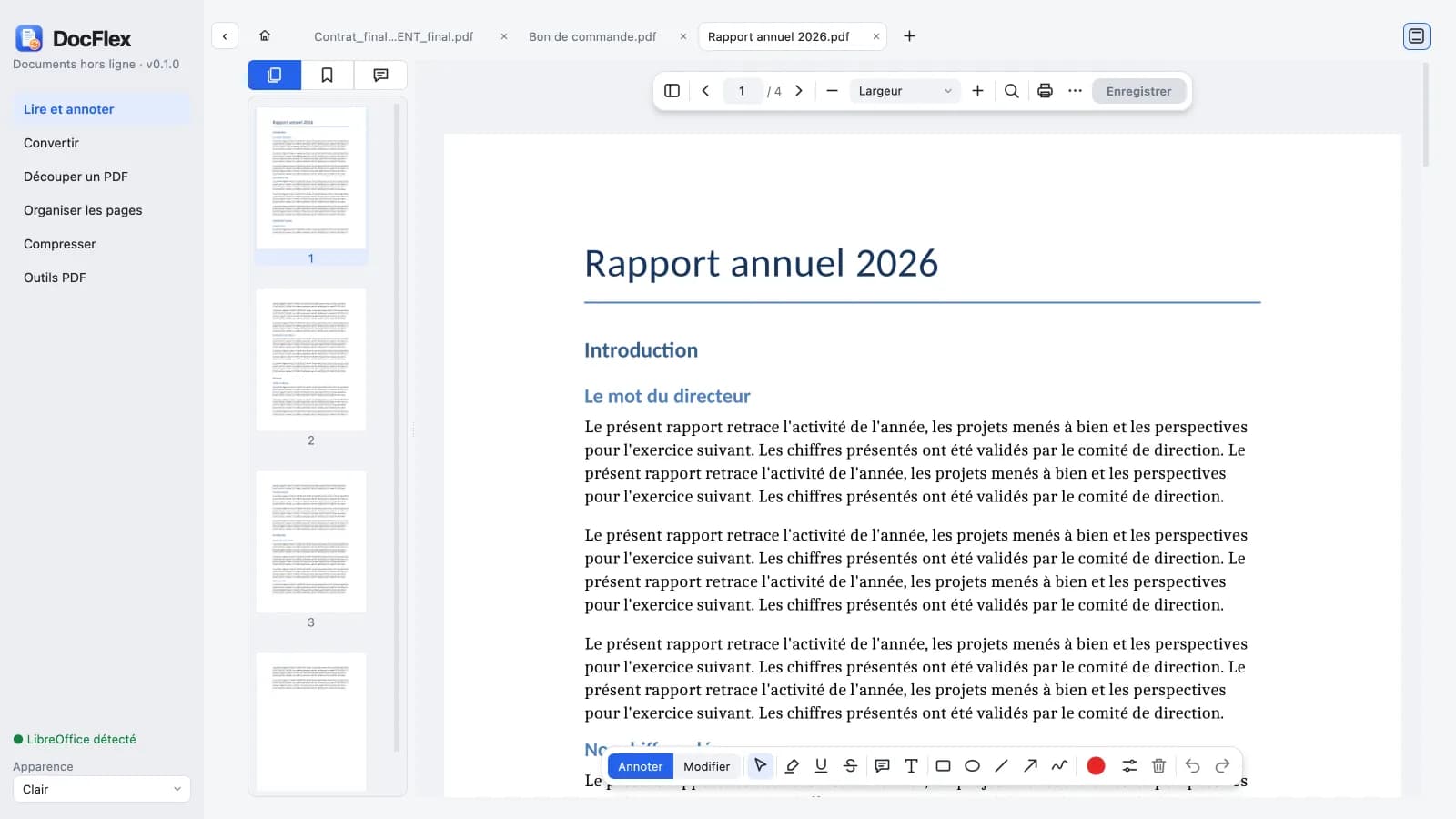
One tab per document, search, table of contents, clickable links, printing, resume where you left off.
Highlight, comment, draw; fix a line of text, add text or an image, white-out.
Fill in fields on the page, automatic calculations, create fields (text, checkboxes, lists).
PDF to Word, images or text; images, EPUB, Excel, CSV and Office documents to PDF.
Split by ranges or bookmarks, reorder, rotate, crop, duplicate or delete pages.
Merge, watermark, page numbers, password, OCR, sign, redact, compare, flatten…
PDF, JPG, PNG and WebP in three levels, from lossless to strongest.
Everything runs on your computer, even OCR. No account, no upload, no ads.
Windows 10 or 11, 64-bit
Apple Silicon Mac (M1 or newer), macOS 26 or newer
DocFlex-0.1.0-macos-arm64.dmg
1ef875e0d551775d83532b85aaf446ce63b80f18f80d8cb168b7154f1050095fDocFlex-0.1.0-windows-setup.exe
e5cbc6f748be2cc18ea965a345cb5d23c942a4c170c23852d76be445a5d4f500DocFlex is free and will stay that way, with no ads and no account. A small Mobile Money donation helps fund its development, the time spent maintaining it and code-signing certificates.
The amount of your choice, paid by Wave, Orange Money, MTN Money, Moov Money or bank card on GeniusPay’s secure page. No account needed.Yes. DocFlex is free, with no ads, no account and no usage limits. Its source code is published under the AGPL-3.0 license. Donations are optional and unlock nothing extra.
No. DocFlex works fully offline: reading, editing, conversions, compression and OCR all happen on your computer. No file is sent, neither to us nor to any third party.
Windows 10 and 11 (64-bit) and Apple Silicon Macs (M1 or newer) running macOS 26 or newer. Intel Macs and Linux are not supported yet.
Because the app is not yet signed with a paid publisher certificate. On Windows, choose “More info” then “Run anyway”; on Mac, System Settings, Privacy & Security, “Open Anyway”. The SHA-256 checksum shown on this page lets you check the file.
Yes, PDF to Word (DOCX) conversion is built in. For the reverse, and for Excel or PowerPoint files, DocFlex uses LibreOffice, which is free, if it is installed on your computer.
With the “Buy me a coffee” button: you choose the amount, then pay by Wave, Orange Money, MTN Money, Moov Money or bank card on GeniusPay’s secure page. No account needed.